
 Zoccer Casino
Logging in is straightforward - go to zoccer.com, click Log In, enter your email and password. The one thing worth slowing down for is the address bar. The operator has a scatter of look-alike domains - zoccer.cc, zocercasino.com and more. So the single most important habit is checking you are on the real site before you type your password. Here is the quick guide, plus fixes for the usual snags.
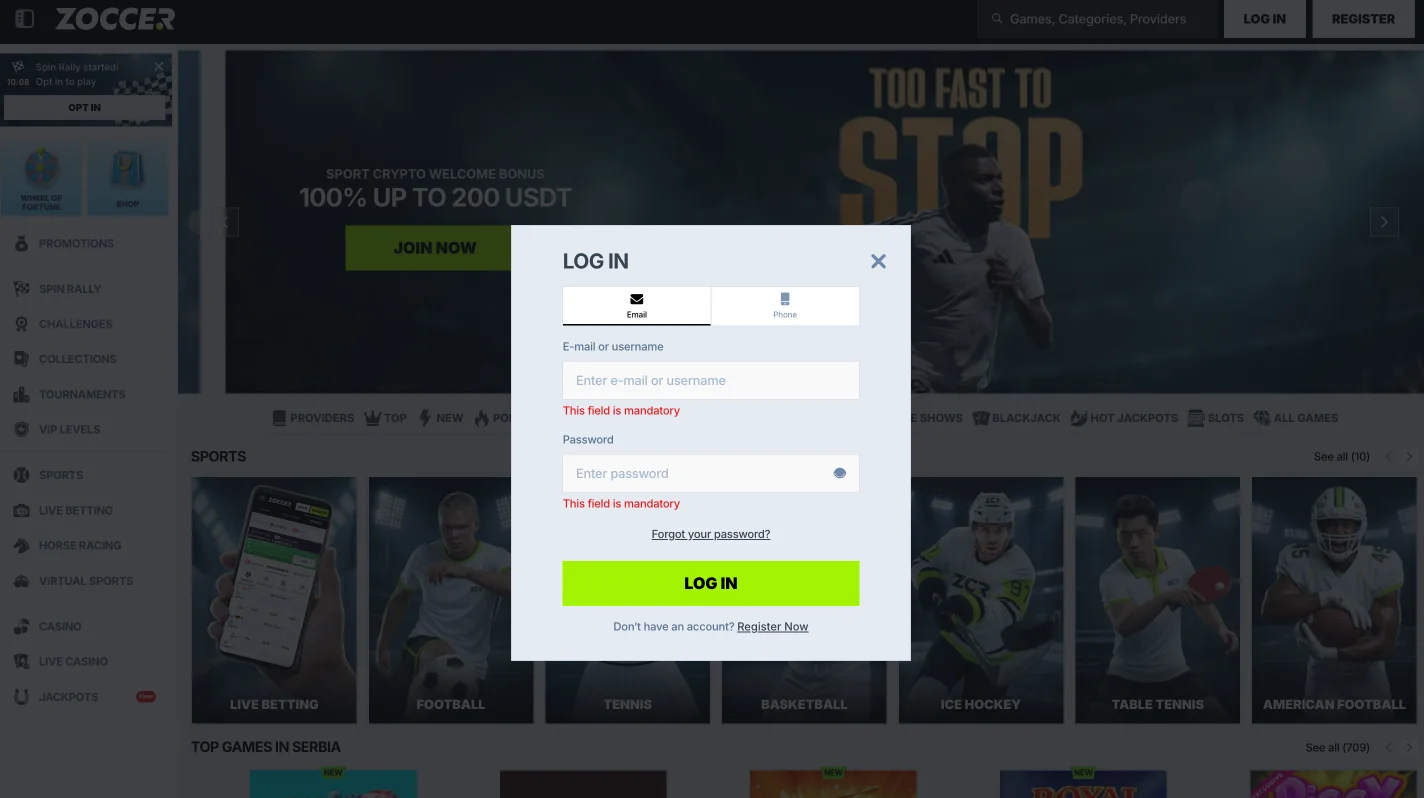
How to log in on browser and mobile
On desktop, the Log In button sits top-right on zoccer.com - email and password, and you’re in. On mobile it’s the same, since there’s no app: you log in through the phone browser at the same address. If you use the home-screen shortcut (more on that on the mobile guide), it opens the same login. Tick “remember me” only on a device that’s yours alone.
Site down? What “Zoccer 2” and mirror searches really mean
Search “Zoccer login” and you’ll see results for “Zoccer 2”, “Zoccer mirror” and various alternative domains. Be careful here. Some are legitimate access mirrors an operator uses when a main domain is geo-blocked; many others are third-party look-alikes that are not the casino at all. If the main site won’t load, check the operator’s official channels for a current mirror rather than clicking the first “Zoccer 2” result. A phishing clone of a login page is the classic way accounts get stolen. When in doubt, don’t enter credentials.
Forgot your password?
Click “Forgot password” on the login panel, enter your registered email, and follow the reset link. If it doesn’t arrive, check spam and confirm you’re using the email you registered with. Reset links expire, so use it promptly. If you’re locked out entirely, live chat can help verify your identity and restore access - expect to prove who you are.
Common login problems, fixed
| Problem | Likely cause | Fix |
|---|---|---|
| Wrong password loop | Caps lock / autofill | Type it manually; reset if needed |
| Page won’t load | Geo-block or downtime | Check the official current domain; don’t guess mirrors |
| Account locked | Too many attempts | Wait, then reset via email or contact chat |
| Can’t withdraw after login | KYC not done | Complete verification - see the withdrawal page |
Keeping your account secure
A few basics that actually matter. Use a unique password you don’t reuse elsewhere, and bookmark the real zoccer.com so you’re not leaning on search results. Never follow a login link from an unsolicited email or message, and be sceptical of any look-alike that isn’t the site you registered on. Because the operator has no verifiable licence, there’s limited recourse if an account is compromised - so prevention is on you. New here? Start with the registration guide, and read the trust review before depositing.
Login FAQ
What is the official Zoccer login site?
zoccer.com. Domains like zoccer.cc and zocercasino.com are third-party look-alikes, not the operator - don’t enter your password on them.
Why can’t I log in to Zoccer?
Usually a wrong password, a geo-block, or a locked account after too many attempts. Reset via email or contact live chat if it persists.
Is there a Zoccer app to log in with?
No native app - you log in through the mobile browser or a home-screen shortcut. See the mobile guide.
What are “Zoccer 2” and “Zoccer 3”?
They’re alternative-domain searches. Some mirrors are legitimate access points; many are look-alike clones. Verify before entering credentials.
I logged in but can’t withdraw - why?
Most likely KYC isn’t complete or a bonus wagering requirement is locking funds. Check both on the withdrawal page.