
 Zoccer Casino
Creating a Zoccer account takes about two minutes: email, password, a few personal details, and a currency choice. The signup itself is painless - the friction comes later, at your first withdrawal, when KYC kicks in. So the smart move is to register carefully with accurate details you can verify, because a mismatch between your account and your ID is what holds up payouts. Here’s the walkthrough, and what to get right the first time.
Read this before you create an account
Two things to settle before you sign up. First, use your real name and details - they must match the ID you’ll later upload for KYC, or your withdrawal stalls. Second, pick your currency deliberately (see below), because changing it afterwards is awkward. And a broader point: Zoccer has no verifiable licence, so weigh the trust review before you commit money, not after.
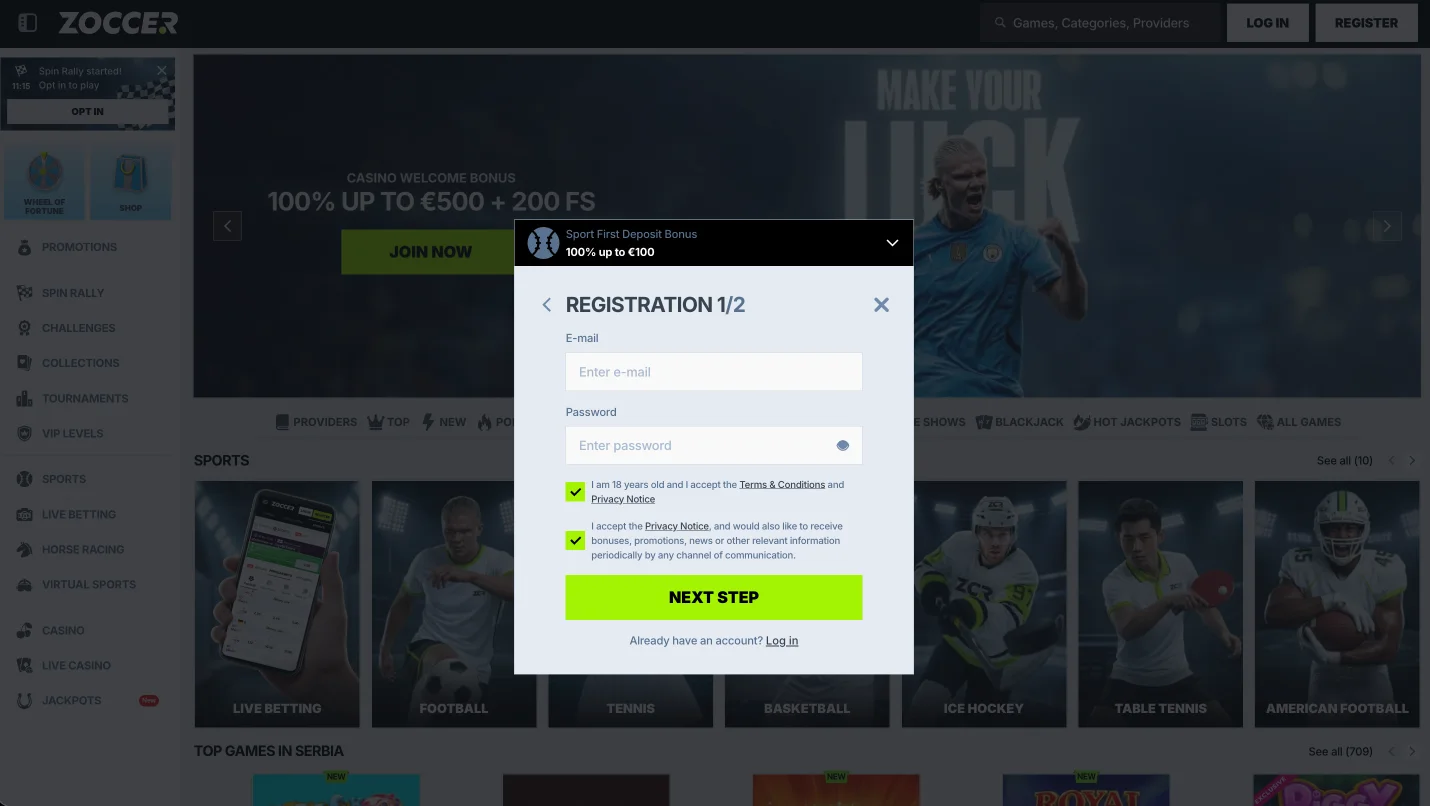
The signup, step by step
- Go to zoccer.com and click Register.
- Enter your email and a strong, unique password.
- Add your personal details - name, date of birth, country - accurately.
- Choose your account currency.
- Confirm you’re 18+ and accept the terms, then verify your email.
That’s it. The welcome-bonus step has an optional “I have a promocode” box, but you don’t need a code - the standard offers are code-free, and no public code beats them. More on that on the promo-code page.
Currency: choose once, choose well
Zoccer supports a wide currency list - EUR, CAD, USD, AUD, NZD, BRL, CHF, HUF, NOK, PLN and CZK among them, plus crypto such as USDT. Canadian players should pick CAD to avoid conversion nibble on every Interac transaction; EUR is the default and the currency most bonus terms are quoted in. Whatever you choose, it’s effectively locked for the account, so decide based on the currency you’ll actually deposit and withdraw in.
Claiming the welcome bonus at signup
The 100% up to €500 + 200 free spins welcome isn’t applied automatically. After you register and make a qualifying deposit of at least €20 (not via Skrill or Neteller), open the My Bonus section and activate the offer before placing any bet. Miss that order - bet first - and you forfeit eligibility. The full terms and maths are on the welcome-bonus page.
When does KYC kick in?
Not at signup - Zoccer lets you register and deposit quickly. Verification lands at your first withdrawal, when you’ll need photo ID and proof of address. The trick is to upload those documents early, right after registering, so they’re already approved when you want to cash out. Deposit and payout detail is on the payments hub.
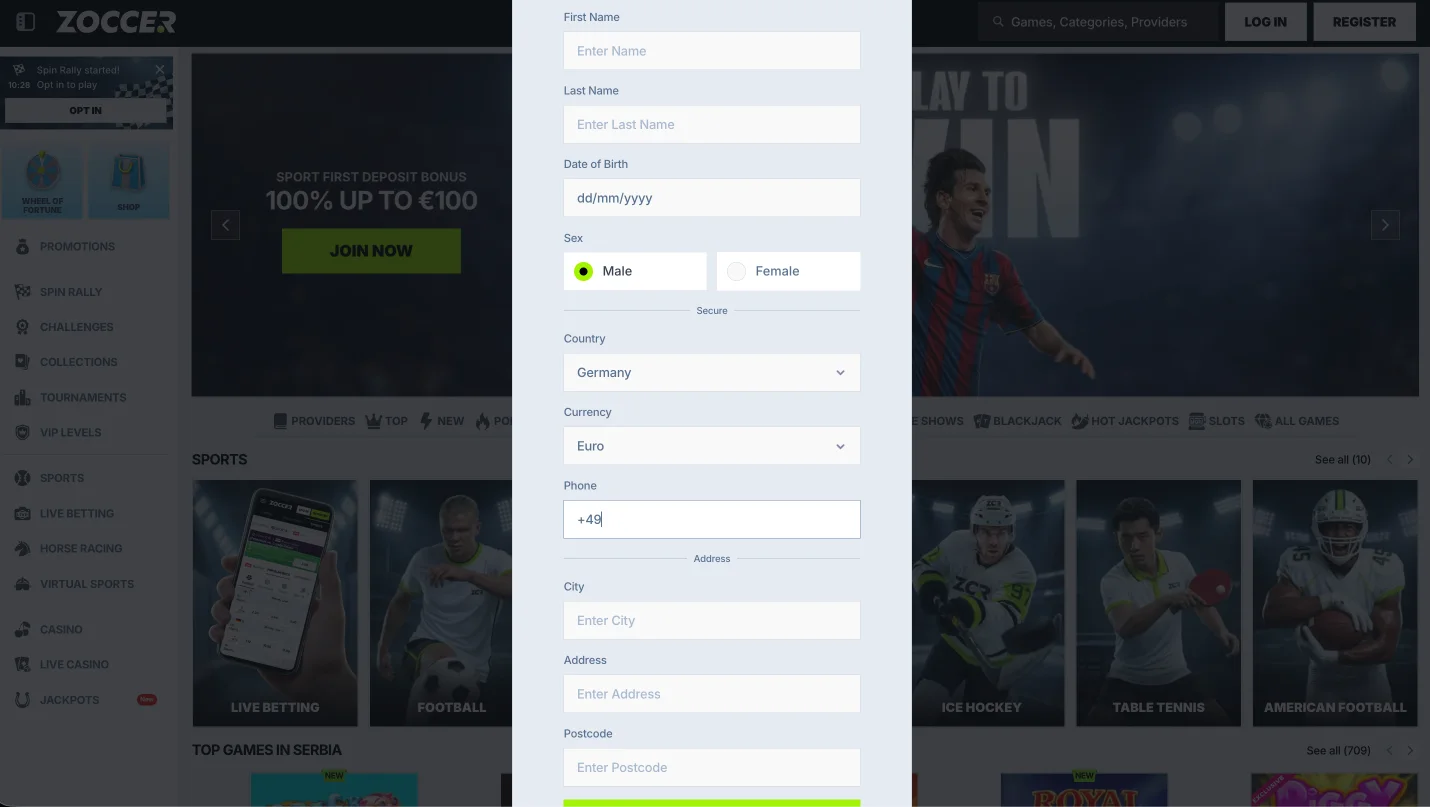
Form fields at a glance
| Field | Notes |
|---|---|
| Your login ID; use one you check | |
| Password | Unique, not reused elsewhere |
| Name / DOB | Must match your KYC ID exactly |
| Country | Determines available payment methods |
| Currency | Effectively locked - choose carefully |
Registration FAQ
How do I create a Zoccer account?
Go to zoccer.com, click Register, enter your email, password and accurate personal details, pick a currency, confirm you’re 18+, and verify your email. No code needed.
Do I need to verify my identity to register?
No - KYC comes at your first withdrawal, not signup. Upload ID and proof of address early to avoid a payout delay.
Which currency should I choose?
Canadian players should pick CAD for Interac; EUR is the default and the one bonus terms use. It’s effectively locked, so choose the currency you’ll actually transact in.
How do I get the welcome bonus when I sign up?
Deposit at least €20 (not Skrill/Neteller), then activate the offer in the My Bonus section before betting. Details on the welcome page.
Can I log in right after registering?
Yes - once your email is verified you can log in at zoccer.com. See the login guide.